6 Best Paid AI Coding Tools for 2027: Which One Is Worth Your Money?
Explore the best paid AI coding tools for 2027. Compare Claude Code, Codex, Cursor, GitHub Copilot and more by performance, pricing and developer feedback.
· 10 min read
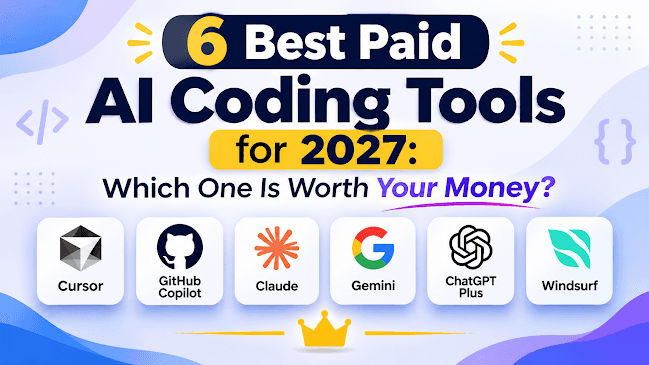
Table of contents
As we approach 2027, AI-assisted software development is no longer something developers are simply experimenting with. It is becoming a regular part of how applications are built, maintained and improved.
But with so many AI coding tools available, choosing the right subscription has become surprisingly difficult.
Almost every AI company claims to offer better reasoning, faster code generation and smarter development assistance. However, writing code and developing reliable software are two very different things.
As a software developer, my priorities go beyond generating a working piece of code. I also care about maintainability, application performance, security, existing architecture and how easily other developers can understand the implementation.
Imagine asking an AI to implement a new feature in an existing React application with a Node.js backend. The implementation might look perfect at first, but what if it introduces unnecessary dependencies, ignores reusable components or breaks existing functionality?
That is where choosing the right AI coding assistant becomes important.
I don't want an AI that writes more code. I want one that leaves me with less code to fix.
In this article, I'll share my recommendations for the best paid AI coding tools to consider in 2027, based on their capabilities, performance research, pricing, developer feedback and practical usefulness.
Best Paid AI Coding Tools for 2027 – Quick Comparison
AI Coding Tool | Starting Price/Month | Editorial Rating | Best For |
|---|---|---|---|
Claude Code | $20 | 9.3/10 | Complex software development |
OpenAI Codex | $20* | 9.1/10 | Debugging and overall value |
GitHub Copilot | $10 | 8.8/10 | Everyday coding assistance |
Cursor | $8 | 8.6/10 | AI-powered code editing |
Google Antigravity | $19.99 | 8.5/10 | Agentic development |
Devin Desktop | $20 | 8.4/10 | Multi-agent development |
*Codex is also available with limited access through lower-priced and free ChatGPT plans. The listed price represents ChatGPT Plus.
Research and pricing last checked: November 27, 2026. These are forward-looking recommendations for 2027. All prices are in USD, and regional pricing, taxes and additional usage charges may vary.
The ratings represent editorial assessments based on published capabilities, research and developer feedback, rather than controlled hands-on benchmark testing of every product.
How I Evaluate AI Coding Tools
When selecting a paid AI coding assistant, I wouldn't make a decision based entirely on its popularity or the capabilities of its underlying AI model.
My evaluation focuses on the following factors:
Coding performance (35%): Problem-solving, reasoning, debugging and code quality.
Codebase understanding (25%): Understanding existing architecture, dependencies and business logic.
Value for money (20%): Pricing, usage restrictions and additional expenses.
Developer experience (10%): Integration, ease of use and control over changes.
Community feedback (10%): Developer adoption, recommendations and reported experiences.
A subscription is only cheap if it fits the way you actually work.
With that in mind, let's explore the tools I would shortlist for 2027.
1. Claude Code – Best Overall AI Coding Tool for 2027
Developed by: Anthropic
Rating: 9.3/10
Starting price: $20/month
Claude Code would be my first choice for professional developers working on established applications and complicated development requirements.
Instead of simply suggesting the next few lines of code, Claude Code can investigate repositories, understand dependencies, modify multiple files and perform development tasks through an agent-based workflow.
One particularly useful feature is its support for project-specific instructions through a CLAUDE.md file.
For example, developers can define instructions such as:
Always reuse existing components before creating new ones.
Follow the project's existing folder structure.
Avoid unnecessary package installations.
Never modify unrelated functionality.
Do not execute build or deployment commands without permission.
These instructions can help maintain consistency when working with AI across different development sessions.
Why I Would Choose Claude Code
Claude Code is particularly appealing for tasks where understanding the application is more important than quickly generating code.
Consider a backend application with existing authentication, role-based permissions and payment processing. Implementing a new API endpoint requires more than writing a controller. The developer must understand how the feature interacts with the rest of the system.
This is the type of work for which I would prioritize a repository-aware coding agent.
Advantages
Suitable for complex development and refactoring.
Project-specific instructions and coding conventions.
Repository-level code understanding.
Terminal and IDE-based workflows.
Useful for full-stack development.
Limitations
Pro usage limits may be restrictive for heavy users.
Long development sessions can consume substantial usage allowances.
Higher subscription tiers are considerably more expensive.
Claude Code Pricing
Plan | Price |
|---|---|
Pro | $20/month |
Pro Annual | $200/year |
Max | $100/month |
Ultra | $200/month |
Check official Claude pricing
My Recommendation
If your daily work involves React, Angular, Node.js, Python or maintaining large applications, Claude Code deserves a place at the top of your shortlist.
I would start with the Pro plan and upgrade only if the usage limitations regularly interrupt productive work.
2. OpenAI Codex – Best All-Round AI Coding Subscription
Developed by: OpenAI
Rating: 9.1/10
Recommended starting plan: ChatGPT Plus at $20/month
Codex is one of the strongest alternatives to Claude Code going into 2027.
It is designed to handle software engineering tasks such as implementing features, investigating errors, reviewing code, writing tests and working across existing repositories.
What makes Codex particularly attractive to me is that it is included in ChatGPT subscriptions.
A software developer's responsibilities are rarely limited to coding. There are technical documents to prepare, infrastructure issues to investigate, client communications to write and unfamiliar technologies to understand.
Having all these capabilities alongside a coding agent can make a single subscription more valuable.
Why I Would Choose Codex
Imagine encountering a production issue where an application works correctly on a local machine but fails after deployment.
The actual problem could involve environment variables, Docker configuration, dependency versions, Nginx or a CI/CD pipeline.
In such situations, I would want an AI assistant capable of investigating the wider technical context rather than immediately suggesting random code changes.
Codex is worth considering for that kind of development workflow.
Advantages
Repository-level development assistance.
Debugging and code review capabilities.
Terminal, IDE and cloud-based workflows.
Included with ChatGPT subscriptions.
Useful for development and general professional tasks.
Limitations
Usage allowances depend on the subscription and selected model.
Autonomous changes still require careful review.
Poorly defined requirements can lead to unnecessary modifications.
OpenAI Codex Pricing
Plan | Pricing |
|---|---|
ChatGPT Free | Limited access |
ChatGPT Go | Limited access; regional pricing |
ChatGPT Plus | $20/month |
ChatGPT Pro | Higher-priced plans with increased usage |
Business / Enterprise | Plan-dependent pricing |
Check official Codex pricing
My Recommendation
If you're already paying for ChatGPT Plus, I would recommend exploring Codex before spending money on another AI coding tool.
You might already have access to everything you need.
3. GitHub Copilot – Best Affordable AI Coding Assistant
Developed by: GitHub
Rating: 8.8/10
Starting price: $10/month
GitHub Copilot remains one of the most practical options for developers who want AI assistance without dramatically changing their existing workflow.
Although Copilot originally became popular for code completion, it now offers broader capabilities involving coding agents, code reviews, conversational assistance and GitHub-integrated workflows.
Not every developer needs an autonomous agent working on an entire application.
Sometimes, you simply want assistance while writing a function, generating test cases or completing repetitive code.
For those requirements, GitHub Copilot makes a lot of sense.
Why I Would Choose GitHub Copilot
One reason I would recommend Copilot is affordability.
A developer who primarily needs autocomplete, occasional debugging assistance and small code modifications may not benefit enough from a $100 monthly AI subscription.
Copilot allows developers to introduce AI into their existing development process without necessarily becoming dependent on it.
Advantages
Affordable individual subscription.
Integration with popular development environments.
Real-time coding assistance.
GitHub pull request and code review integration.
Suitable for beginners and experienced developers.
Limitations
Advanced agent features consume AI credits.
Entry-level allowances may not suit continuous autonomous development.
Developers must still verify generated suggestions.
GitHub Copilot Pricing
Plan | Monthly Price |
|---|---|
Free | $0 |
Pro | $10 |
Pro+ | $39 |
Max | $100 |
Check official GitHub Copilot pricing
My Recommendation
GitHub Copilot Pro would be my recommendation for someone purchasing their first AI coding subscription.
It is also a reasonable choice for freelancers, junior developers and experienced programmers who prefer maintaining direct control over their implementation.
4. Cursor – Best AI-Powered Code Editor
Rating: 8.6/10
Starting price: $8/month
Cursor takes a different approach by building AI capabilities directly into the development environment.
Rather than switching between an editor, a browser and an external coding assistant, developers can work with AI inside a familiar editor-based workflow.
Cursor is especially appealing for developers working on applications where changes frequently span components, stylesheets, services and API integrations.
Why I Would Choose Cursor
For frontend development, the ability to navigate between related files and review proposed changes inside the editor can be extremely convenient.
Consider implementing a new dashboard in an existing Angular application.
The requirement might involve updating HTML templates, SCSS files, TypeScript components, services and routing configurations.
An AI-powered editor that understands those relationships can potentially reduce the amount of repetitive work involved.
Advantages
AI-focused development environment.
Codebase-aware assistance.
Multi-file editing.
Integrated review of proposed changes.
Familiar experience for VS Code users.
Limitations
Requires adapting to a different editor.
The latest pricing structure introduces model restrictions.
Third-party model usage may incur additional charges on eligible plans.
Cursor Pricing
Plan | Monthly Price |
|---|---|
Free | $0 |
Plus | $8 |
Premium | $30 |
Super | $100 |
Ultra | $200 |
Cursor's current subscription structure restricts the entry-level paid plan to Grok models. Developers who prefer other model providers should carefully examine the higher-tier options and additional usage costs.
Check official Cursor pricing
My Recommendation
Cursor is worth considering if you prefer an AI-first editor rather than a terminal-based coding assistant.
However, I wouldn't select Cursor simply because its starting subscription appears cheaper than competing products. Model access and actual usage costs are equally important.
5. Google Antigravity – An AI Coding Tool Worth Watching in 2027
Developed by: Google
Rating: 8.5/10
Paid subscription: Google AI Pro from $19.99/month
Google Antigravity is another interesting option as we move into 2027.
Its approach focuses on agentic development, where AI can help plan, implement and verify development tasks rather than simply generate code snippets.
The availability of Google's AI models, additional supported models and integrations across development workflows makes it a compelling alternative to established coding assistants.
Why I Would Consider Google Antigravity
One area where agentic development can be particularly useful is feature verification.
For example, building a frontend feature isn't necessarily complete once the code compiles. Developers must also verify how the interface behaves, whether interactions work correctly and whether the implementation matches the original requirements.
An agent capable of supporting development and verification workflows could reduce some of that repetitive effort.
Advantages
Agent-oriented development experience.
Access to multiple supported AI models.
Integration with Google's AI ecosystem.
Free access available for initial evaluation.
Suitable for developers exploring more autonomous workflows.
Limitations
Usage allowances and available models vary by plan.
Advanced workloads may require higher-priced subscriptions.
Rapid product changes can affect established workflows.
Google Antigravity Pricing
Subscription | Monthly Price |
|---|---|
Free | $0 |
Google AI Pro | $19.99 |
Google AI Ultra | Higher-usage options from approximately $100 |
Check official Antigravity pricing
My Recommendation
Google Antigravity is one of the tools I would keep an eye on throughout 2027.
If you already have a Google AI subscription, it makes sense to explore its coding capabilities before purchasing another development assistant.
6. Devin Desktop (Formerly Windsurf) – Best for Multi-Agent Development
Developed by: Cognition
Rating: 8.4/10
Starting price: $20/month
Developers familiar with Windsurf should know that it is now called Devin Desktop.
The product builds on Windsurf's AI-powered editor while introducing broader capabilities for managing and coordinating development agents.
Its focus is particularly interesting for developers who want to delegate multiple engineering tasks.
Why I Would Consider Devin Desktop
Imagine working on an application with three separate requirements:
Investigating an existing backend bug.
Implementing a new frontend component.
Writing automated tests for another feature.
If these tasks are sufficiently independent, assigning them to separate agents could potentially save time.
However, I would be cautious about allowing multiple agents to modify interconnected parts of an application simultaneously.
The time saved during implementation can quickly disappear if the developer needs to resolve conflicts and review inconsistent changes.
Advantages
AI-powered development environment.
Multi-agent workflows.
Support for multiple AI model providers.
Local and cloud-based development assistance.
Useful for delegating independent tasks.
Limitations
Multiple agents introduce additional review responsibilities.
Autonomous development may increase usage costs.
Managing agents can be unnecessary for smaller projects.
Devin Pricing
Plan | Monthly Price |
|---|---|
Free | $0 |
Pro | $20 |
Max | $200 |
Check official Devin pricing
My Recommendation
Devin Desktop is worth exploring if your workload regularly involves several independent engineering tasks.
For straightforward everyday development, I would first evaluate whether a simpler coding assistant is already sufficient.
What Are Other Developers Recommending for 2027?
An AI tool's popularity doesn't necessarily prove that it is the best. However, developer adoption can provide a useful starting point.
According to the 2026 Stack Overflow Developer Survey, the following coding agents were used by respondents who answered the relevant question:
AI Coding Tool | Reported Developer Usage |
|---|---|
Claude Code | 65.5% |
GitHub Copilot | 58.7% |
OpenAI Codex | 29.5% |
Cursor | 25.5% |
Google Antigravity | 16.0% |
Windsurf | 6.5% |
The question received 12,255 responses and allowed respondents to report multiple tools. Therefore, these percentages represent reported usage rather than exclusive market share.
Windsurf and Devin were separate entries in the survey.
Source: Stack Overflow Developer Survey 2026
Developer discussions also reveal that there is no universal agreement about which subscription provides the best experience.
Some developers prefer Claude Code for complicated repository-level development. Others prefer Codex because of their personal experiences with usage allowances and generated code. Developers working primarily inside an editor may prefer Cursor or GitHub Copilot.
Interestingly, discussions about Claude Code and Codex usage limits often produce conflicting experiences. That suggests the nature of the project, selected model and prompting workflow can significantly influence the perceived value of each subscription.
Here are some useful community discussions:
Choosing between Claude Code and Codex for a large software project
A developer's experience switching from Cursor to Claude Code
I would use these discussions to understand potential advantages and limitations, not as guaranteed evidence that one tool will outperform another on every project.
Which AI Coding Tool Delivers the Best Performance?
Comparing AI coding performance is more complicated than comparing processor speeds or internet connections.
Software development involves different types of tasks, and each task requires a different combination of reasoning, context and implementation skills.
A research paper published in 2026 compared AI coding agents using real-world pull requests.
The researchers reported the following findings:
Tool | Research Finding |
|---|---|
Claude Code | 92.3% acceptance for documentation tasks |
Claude Code | 72.6% acceptance for feature tasks |
Cursor | 80.4% acceptance for bug-fixing tasks |
OpenAI Codex | 59.6%–88.6% acceptance across nine task categories |
Read the research paper: Comparing AI Coding Agents
These results relate to the repositories, tasks and agent versions examined in the research. They do not represent guaranteed accuracy or performance in 2027.
What I find interesting is that no single coding agent dominated every type of development task.
That reinforces my view that choosing an AI assistant should depend on your actual development requirements rather than a single benchmark score.
Which AI Coding Tool Should You Buy in 2027?
Here is how I would make the decision based on different development requirements.
Your Requirement | My Recommendation |
|---|---|
Best overall AI coding assistant | Claude Code |
Complex software development | Claude Code |
Full-stack development | Claude Code or Codex |
Debugging and troubleshooting | OpenAI Codex |
Affordable monthly subscription | GitHub Copilot |
AI-powered development environment | Cursor |
Google AI ecosystem | Google Antigravity |
Multi-agent development | Devin Desktop |
Programming and general AI assistance | ChatGPT Plus with Codex |
First paid AI coding subscription | GitHub Copilot Pro |
Five Things I Would Consider Before Paying for an AI Coding Tool
1. Does It Understand Your Existing Code?
Generating a new application from scratch isn't a sufficient test.
Ask the tool to implement a feature in an existing project while following its established architecture and coding standards.
That is a much more realistic evaluation.
2. How Much Time Does It Actually Save?
The most expensive part of a bad AI-generated change is rarely the prompt that created it.
Consider the time spent reviewing, debugging and correcting the implementation.
If the AI produces code quickly but leaves you with extensive cleanup, the productivity improvement might not be as significant as it initially appears.
3. Are There Hidden Usage Costs?
A $20 subscription does not necessarily mean unlimited coding assistance.
Many tools have weekly allowances, model restrictions, AI credits or usage-based charges.
Make sure you understand the actual cost of your expected workload.
4. Can You Control What the AI Changes?
I prefer a development workflow where AI agents have clear boundaries.
For example, they should not install new dependencies, rewrite existing architecture or execute deployment commands without appropriate permission.
Control becomes particularly important when working on production applications.
5. Does It Meet Your Security Requirements?
Before giving any AI coding assistant access to a company repository, review its privacy policies, data retention practices and organizational security controls.
Never unnecessarily expose production credentials, customer information or confidential business data.
A paid subscription alone is not proof that a tool satisfies your company's security requirements.
What I Expect From AI Coding Tools in 2027
I believe the next stage of AI-assisted development will focus increasingly on the quality of the overall engineering workflow rather than simple code generation.
Some areas I expect to become more important include:
Better understanding of large and interconnected codebases.
More reliable automated testing.
Improved security analysis and code reviews.
Greater control over autonomous agents.
More predictable pricing and usage management.
Better collaboration between developers and multiple AI agents.
These are expectations rather than confirmed future product features.
The ability to generate a working application from a prompt is impressive, but the ability to maintain that application for several years is considerably more valuable.
I would like to see AI coding tools improve in that direction.
Frequently Asked Questions
Which is the best paid AI coding tool for 2027?
Based on the capabilities and developer feedback available in late 2026, Claude Code is my overall recommendation for professional software development. OpenAI Codex is a close alternative.
Is Claude Code better than OpenAI Codex?
Claude Code is my preference for complex development and repository-level workflows. Codex may provide better overall value for developers who also use ChatGPT for documentation, research and other professional tasks.
Neither tool is guaranteed to outperform the other in every situation.
Which AI coding tool is best for beginners?
GitHub Copilot Pro is a practical starting point because of its affordable subscription and integration with familiar development environments.
Beginners should focus on understanding generated code rather than simply accepting every suggestion.
Is Cursor worth paying for in 2027?
Cursor is worth considering for developers who want an AI-powered code editor. However, its current model restrictions and potential additional usage costs should be evaluated before subscribing.
Is a $20 AI coding subscription enough?
For many developers, a $20 subscription may be sufficient. Developers running coding agents continuously throughout the day may require higher usage allowances.
The answer depends on project complexity, model selection and frequency of use.
Can AI coding tools replace software developers in 2027?
AI can automate many implementation tasks, but developers remain responsible for architecture, business requirements, security, testing, technical decisions and long-term maintainability.
Writing code is only one part of software engineering.
Final Thoughts: My AI Coding Tool Recommendations for 2027
If I were choosing a paid AI coding assistant for 2027, my initial shortlist would include Claude Code, OpenAI Codex and GitHub Copilot.
For complex software development, I would lean towards Claude Code.
For someone who wants coding assistance alongside research, documentation and everyday professional tasks, ChatGPT Plus with Codex offers an attractive combination.
For developers looking for a more affordable subscription without substantially changing their existing workflow, GitHub Copilot Pro is a reasonable choice.
Cursor, Google Antigravity and Devin Desktop are also worth considering, particularly if their development environments better match your preferences.
My biggest suggestion is not to purchase multiple AI subscriptions simply because they are popular.
Start with one. Use it on actual projects. Measure the time saved and the quality of the implementation. Upgrade or switch when you identify a genuine limitation.
As developers, our objective shouldn't be to generate as much code as possible.
It should be to build reliable, maintainable and useful software.
The AI tool that helps you achieve that objective consistently is the one worth paying for.
Written by
Content Writer · Founder
View profile and all posts · Read how we work in our editorial policy.